
Powered Descent (No Ads)1.20 - Google Play
You'll be able to see results in few seconds.
Publisher Description
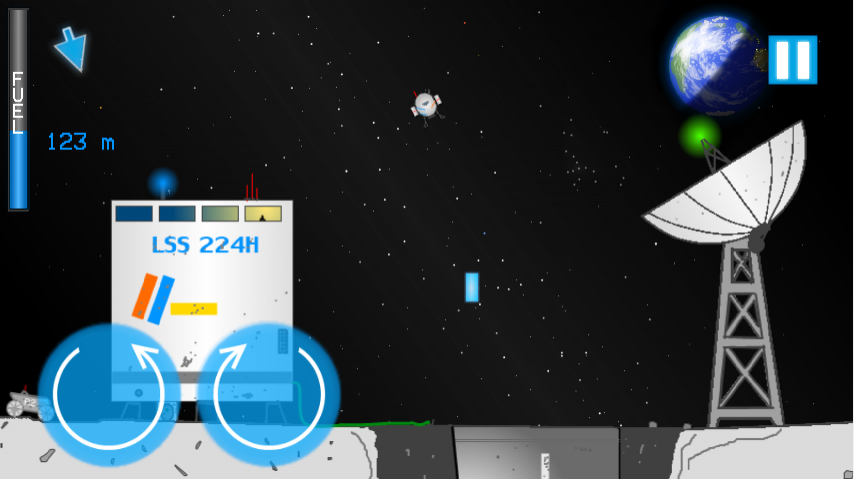
This paid version has no ads.
Powered Descent will challenge your spacecraft piloting skills when you land on the surfaces of various different moons and planets in our own solar system space. Can you slow down enough before hitting the ground? Can you avoid environmental dangers, such as volcanoes? In this lunar landing game, you can experience a lot of different things!
Following places from the solar system are included: Moon, Mars, Europa, Io, Titan and Mercury. Each of them has six detailed and fun levels.
Bring your lander safely down to the dusty, cratered lunar surface. Explore the caves and plains of the red planet, also known as Mars. Descend deep into the icy crust of Europa in search of liquid water. Survive in the volcanic inferno of Io. See the oddly Earth-like Titan with it's lakes and thick atmosphere. Fly across the barren, hot wasteland of Mercury, which is constantly bombarded by the heat of Sun.
So, what are you waiting for? Fly into space today and become an experienced space pilot as you fly across the solar system.
You can choose to use either on-screen buttons or accelerometer controls (tilt the phone to turn the lander).
Made with Gideros Studio.
Tested on Sony Xperia U.
About Powered Descent (No Ads)
The company that develops Powered Descent (No Ads) is Karriz. The latest version released by its developer is 1.20.
To install Powered Descent (No Ads) on your Android device, just click the green Continue To App button above to start the installation process. The app is listed on our website since 2014-01-05 and was downloaded 0 times. We have already checked if the download link is safe, however for your own protection we recommend that you scan the downloaded app with your antivirus. Your antivirus may detect the Powered Descent (No Ads) as malware as malware if the download link to tk.digitoimigames.powereddescent is broken.
How to install Powered Descent (No Ads) on your Android device:
- Click on the Continue To App button on our website. This will redirect you to Google Play.
- Once the Powered Descent (No Ads) is shown in the Google Play listing of your Android device, you can start its download and installation. Tap on the Install button located below the search bar and to the right of the app icon.
- A pop-up window with the permissions required by Powered Descent (No Ads) will be shown. Click on Accept to continue the process.
- Powered Descent (No Ads) will be downloaded onto your device, displaying a progress. Once the download completes, the installation will start and you'll get a notification after the installation is finished.
Program Details
System requirements
Download information
Pricing
Version History
version 1.20
posted on 2014-01-05
1.20 Fixed rest of the levels,1.19 Fixed Mars and Moon white screen issues,1.18 Fixed the level skipping bug,1.17 Reduced texture size,1.15 Reduced the mass of spaceship,1.14 More bugfixes,1.13 Removed GPS permission,1.12 Bugfixes,1.1 Release
Disclaimer
Official Google Play Link
We do not host Powered Descent (No Ads) on our servers. We did not scan it for viruses, adware, spyware or other type of malware. This app is hosted by Google and passed their terms and conditions to be listed there. We recommend caution when installing it.
The Google Play link for Powered Descent (No Ads) is provided to you by apps112.com without any warranties, representations or guarantees of any kind, so access it at your own risk.
If you have questions regarding this particular app contact the publisher directly. For questions about the functionalities of apps112.com contact us.
